Hands-free control for the moments hands are busy
Play, pause, next, louder, start, stop — a small vocabulary of spoken commands, recognized instantly on the device. Keyword spotting gives users control when they can't touch the product, at a fraction of the compute of full speech recognition — and nothing they say ever leaves the device.
What spoken commands buy you
Control at the speed of habit
A spoken "next" lands like a button press, not like a conversation with an assistant — no server round-trip, no spinner. Commands become muscle memory the way keyboard shortcuts do.
Works exactly where touch fails
Sweaty hands, gloves, handlebars, a phone mounted across the room — the product stays controllable in precisely the moments touch is impossible.
No assistant in the middle
Users don't summon a general-purpose assistant or wonder who's listening. A fixed command set runs locally and does one thing: control your product.
Small vocabularies, big moments
A handful of well-chosen commands covers most of what users do when their hands can't reach the screen.
 Fitness & training
"Start" · "Pause" · "Lap"
Mid-set, mid-ride, mid-run — workout tracking that responds without breaking form or removing gloves.
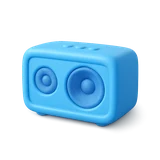 Media & audio
"Play" · "Next" · "Louder"
Transport controls that work from across the room, under a motorcycle helmet, or through a workshop's noise.
 Navigation & cycling
"Repeat" · "Next turn"
Directions re-read on demand while both hands stay on the bars — no reaching for a mounted phone.
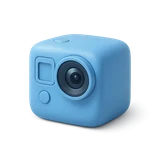 Cameras & action cams
"Start recording" · "Stop"
The camera is strapped to a chest, a helmet, a drone case — voice is the only button users can always reach.
 Cooking & kitchen
"Next step" · "Set a timer"
Recipe playback and timers driven with hands in the dough — no wet-finger taps on a tablet.
 Screenless products
Commands as the whole UI
Hearables, wearables and appliances with no display at all — a spoken vocabulary is the interface.
From command list to shipping feature
Define the command set
List the commands your product needs — typically a few dozen words or short phrases. A closed vocabulary is exactly what keeps recognition fast, small, and accurate.
We train a model on your vocabulary
VoxRT trains a compact spotter tuned to your commands, your languages, and your target hardware — hardened against words that sound similar but aren't commands.
Your team drops in the SDK
A Swift Package on iOS, a Gradle dependency on Android, or a C library on Linux devices — the same VoxRT runtime that powers the wake-word and speech-recognition SDKs.
Map detections to actions
Each detection arrives as an event with a confidence score. Wire it to the same handlers your buttons already call, and tune thresholds per command.
What's under the hood
Keyword spotting runs on the same measured, published runtime as the rest of VoxRT — see the benchmark methodology for how runtime numbers are produced.
Pipeline. Microphone → on-device VAD (so the spotter only runs on speech) → keyword spotter over your closed vocabulary → command event with confidence score to your code. Closed-vocabulary detection is dramatically cheaper than running full speech recognition and matching text — there is no transcript stage at all.
Platforms. iOS 16+ (Swift Package Manager) and Android 8.0+/API 26 (JitPack/Gradle), plus Linux aarch64 for device-class hardware — validated on Raspberry Pi 3/4/5 and Pi Zero 2 W, NVIDIA Jetson Nano and Orin Nano, AWS Graviton and similar Cortex-A53/A55 boards — shipped as a single ~480 KB shared library with Python, Node.js, Go, C/C++ and Rust wrappers.
Licensing. Custom command sets are trained per product as a one-time paid engagement. The runtime and the published models (reference wake word, VAD, ASR) are free for commercial use with no per-user or per-device fees — see licensing.
Keyword spotting, answered
How is keyword spotting different from full speech recognition?
Speech recognition transcribes anything a user says into open-ended text; keyword spotting listens for a fixed set of commands and fires an event when one occurs. The closed vocabulary makes the model far smaller and faster than full ASR, and there's no transcript to parse — which is exactly what you want for controls.
How many commands can a vocabulary hold?
Most products ship with a few dozen commands, which keeps every command distinct and instantly recognizable. Larger vocabularies are possible — it's a trade-off between coverage and confusability that gets settled during model tuning with your real command list.
Will it work with music playing or background noise?
Models are trained with heavy noise augmentation and tuned against hard negatives for your specific commands, and each command's threshold is adjustable — so you choose the balance between never-misses and never-false-triggers for your product's environment.
Does anything leave the device?
No. Detection runs entirely on the device, works with no network connection, and no microphone audio is ever uploaded.